We care about learning… but what does that mean today? I have this suspicion that it’s about preparing people to deal with uncertainty… I’d like to know if you agree with me AND if you do, what we might do about it.
Dates
July 16-17 Online for the stories/discussions
July 18-19 Hybrid after-party for creating usable artefacts from the discussion
Join our Uncertainty Community Newsletter for updates
We have an abundance of information and mis/disinformation. We have an abundance of content and generated content. An abundance of connection. We can whip our way through tasks that used to take us hours and create artefacts between sips of coffee. We can, by reaching in our pockets, solve a math problem, find the lyrics to the song that is playing in the room we’re in or read a journal article on Housemaid’s Knee. Our information landscape has fundamentally changed.
What does it mean? What do we do? How do we adapt?
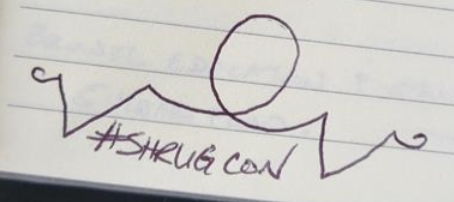
Enter #ShrugCon?
This is not a ‘shrug’ as in ‘I don’t care’ but rather a ‘wow, that’s a hard question without a simple answer’. It’s a commitment to addressing the challenges that we are facing in education without holding on to a random approach that we are comfortable with or narrowly focusing on one version of ‘actionable science’. We’re hoping to host a discussion. You’re invited to come along and tell a story about where you’re at in this conversation. You’re welcome to come and participate in the discussions that result from that story or, if you like, you’re welcome to just listen in.
This is a 4 day online/hybrid event. The first two days are for stories. How has this abundance changed how you learn, how you think about learning how you help other people learn? We will have 2 days of facilitated discussion around various themes in an attempt to try and come to grips with some of the ways that information abundance affects learning in our formal, informal and day to day spaces. The last part of the event will be an after-party, hosted at the University of Windsor, where we will gather information from the previous activities in an attempt to create infographics, discussion papers and other outputs from the ideas generated by the event.
This is my first post talking about some of the ideas in my new book Learning in a Time of Abundance. The book is the result of almost 20 years of writing, talking and thinking about how the Internet changes what it means for us to learn. The book is not so much about how we learn IN schools, but rather what we need to learn as citizens in order to deal with the world we’ve found ourselves in. It just so happens that much of our training (overt and hidden) about what it means to learn was formed by our schools – so they come up a fair amount.
Our schools are about getting right answers. If you get the answer right you’re smart. People with good grades are smart people, and they get good grades by giving the answer that the teacher wants them to. I understand that this seems like an obvious claim… but I think it’s important. We are rewarded, in schools, for being obedient and giving the answer the teacher wants us to.
Uncertainty
This is fine when what we’re looking for is the name of a given molecule or the capital city of Japan (though it used to be Kyoto – I was today years old when i finally noticed it’s an anagram of Tokyo). There are a whole other set of things, human things, that are not like that. Many (most?) of the things we need to do to get through life don’t have a single answer. When we teach those in schools, even in more creative courses like music or art, we often teach them as if there were right answers. We reward students for getting it right.
The hidden curriculum, then, is that when someone asks you a question, there is a right answer. That’s what we learn ‘learning’ is. Being smart is about figuring out what that right answer is, and then giving it. That’s what we learn in school. We never learn to say things like ‘yeah, i’m not really sure I’m in a position to answer that question’ or ‘yeah, i can kind of see both sides of that, and can see it working either way’.
This shows up in my classes all the time. I will challenge my students with a topic that is split in the literature, we’ll read both sides, and, at some point, a student will say “which one is right?” I typically shrug my shoulders and say something like “it depends on how you look at it.” Then they feel like they were tricked. We always end up in some conversation about how it doesn’t make sense to ‘learn it’ if it’s not ‘right’.
(There’s a whole argument here about teaching people facts as background knowledge when they’re novices and teaching them deeper concepts when they’re experts that I will discuss in a later post, but suffice it to say that most of the time, we are taught most things as if they’re true. )
The purpose of humility
We are not new in needing humility in the way we look at hard conversations. Philosophers have been suggesting for millennia that we need to be humble. Socrates, after being called the wisest man in Athens by the Oracle, responded that he knew nothing… thus confirming that he was the wisest man in Athens.
That humility, giving the space that there might be other perspectives that aren’t yours, that you don’t understand, that you don’t know about, gives room to the people around you. It also is, I think, the only response to what Rittel and Webber called wicked problems. Some problems are so huge, so complex, so intertwined, that you can only ever work on part of the problem. In some cases, you can only make something better by making something else worse. You can decide to approach those problems with a wrecking ball, ignoring your impact on the whole ecosystem, or you can approach it with humility.
It matters in every day life just as much. We tend to panic when we are confronted with uncertainty. When someone else’s beliefs don’t match ours we can see that as a threat. If there’s only one right answer, and they think they have the right answer, then that must mean that they think our answer is wrong. Leaving room for uncertainty, for ambiguity, for context, can help us understand our issues and each other better.
Weirdly, we teach humility in PhD programs. All the way leading up to a PhD, we are taught that things are right/wrong, and, if we ever make it to the top of the formal learning process, people are like “yeah, well, it depends”.
That means that basically all of us, on basically every topic, have been taught that things are right or they’re wrong. Maybe worse, we’ve been taught that someone else has decided what that right answer is… and our job is to just follow along with whatever it is.
This is the central concept of how marketing works – make people believe that something is true.
We have too many things are us, too much information coming in, too many complex problems to do something about to believe in right answers.
Humility, then, is a key literacy in confronting abundance.
(note: I do believe there are wrong answers… just not necessarily always a single one that is right)
I’m closing in on 20 sessions I’ve done in the last year that were, in some way, related to the issue of generative AI. Actually, it’s probably more than 20. They have moved from ‘omg, there’s this thing that just came out’ to ‘yeah, we really do need to sit down and have a long chat about what we’re trying to get done in higher education’. And, sometimes, that conversation is a really positive one. A humane one. We’re going to follow that tone here.
I don’t hate essays
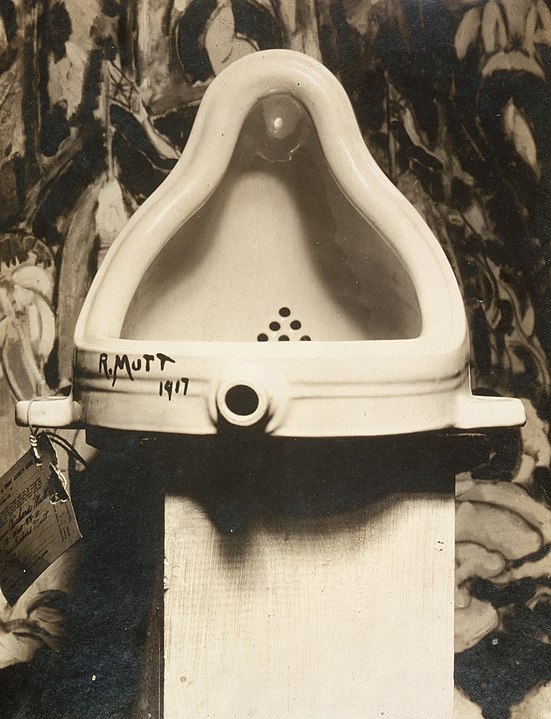
I cut my teeth in higher education classrooms teaching academic writing. I taught the sandwich model, I did practice five paragraph essays, process writing – all the classics. I loved the challenge of getting students exciting about the writing process, teaching them to support a position, and giving them the tools they’d need to conquer the big essays that they were going to face in the rest of their university careers. When students walked into my classroom on the first day, they were confronted with this picture on the projector screen.
We have to learn to write essays because we have to learn to write essays
In the last couple of years, however, my belief in the essay has been taking some hits. I started using it as an example of an assignment type that was tethered to the system. K12 system teachers would tell me that students needed to learn to write essays so they could write essays in university. Undergrads are told they need to learn to write essays so they can write them when they are in grad school etc… I mean, what percentage of the people who learn to write an essay ever reach the point where they, actually, need to write them for some useful purpose? I mean… I did. But I’m probably the only person I grew up with who ever wrote an essay because they wanted to.
It seems like a lot of training to develop a skill that very few people are ever going to use.
But essays teach all these other skills!
So here’s the part that’s been coming up since the GenAI conversation. I’ve been using this Chronicle article to discuss how students are using GenAI to help them write essays. The author, a student, worries that students are going to lose the ability to do critical thinking because the AI is going to be doing it for them. All the student needs to do to write an essay amounts to a little grunt work.
So what are the skills that essays are meant to teach, and, if they ever worked to teach those skills, do they still in this era? I grabbed a random list from a random website
Analytical Skills. (GenAI is going to cover that)
Critical Thinking. (And this one)
Creativity. (And this one – I’m not saying that GAI is creative, but rather that because the choices get made the student doesn’t need to be creative to write an essay. I still think students desperately need to develop their creativity)
Ability to Structure Knowledge. (I mean, maybe we’re still doing this?)
Keen Eye for Details. (Grammarly has this one covered)
Informed Opinions. (Does it?)
Information Search Skills. (See below)
General Verbal Intelligence. (GenAI, Grammarly)
A quick look at this list, at least, suggests that the tools we have available are going to do a fair amount of the work that we think the essay is doing. And this doesn’t even count the fact that for somewhere between $10 and $50 a page you can just hire someone to write your paper for you. John Warner has been talking about this for years, see this post and his book.
We need all those skills, or at least most of them, but I don’t think that the essay is doing that for us anymore. I want to teach creativity, I just don’t think the essay supports that like it used to.
Search is the key. It’s all about search.
But this has been the realization for me. Essays have not been doing the thing that I actually thought they were doing since we started having effective online search tools. I used to assign essays for the same reason I used to assign writing reflections for academic papers. I want students to engage with the material. I want them to learn how to identify valid and credible information and learn how to apply it to problems they are facing. I want them to engage in the history of knowledge. With other thinkers in the field that we’re studying.
Here’s the thing. I’m starting to think it really hasn’t been happening for 20 years.
In teaching the SIFT method to my students this term, we ended up in a bunch of conversation about how we go about finding information. I heard one student say ‘i found a quote to support my argument’ and it hit me. I ask them how they’d learned to search/research, and it went something like this. Have an argument, usually given by the instructor, do a search for a quote that supports that position, pop the paper into Zotero to get the citation right, pop it into the paper. No reading for context. No real idea what the paper was even about. Search on google/library website, control +F in the paper, pop it in the essay.
Compare this, if you will, to my undergraduate experience in the library. Go to the card catalogue, write down a bunch of possible articles/books on a piece of paper, go around the library and find said resources, settle in at a table to go through them. I had to read them. I’m not saying I wanted to, there was no other option. I had to engage with the material in order to find something that I could base my paper on.
That experience is gone.
The essay, i’m arguing here, no longer forces students to learn how to research. I’m not saying a few students don’t do it, i’m saying they don’t have to. As a graduate student in one of our Humanizing Digital Learning course said to the rest of the class “You’d have to give me a reason not to CTRL F, ’cause I don’t see it”.
Teach Search
And, because of this, I now teach search. I teach students how to write good search strings to get varied responses. We explore how different searches work over different systems. We talk about bias the researchers have, about how to find facts, but also how to find advice when you don’t know what you’re doing. We talk about the humility necessary to use Internet search to learn. If you don’t have the skills to evaluate something, you’re going to struggle to get wisdom you can use from the web, or from ChatGPT or wherever you going to find it.
I’m increasingly starting to think that we need to re-evaluate what the basic epistemic skills are that we think people need to make meaning with all this abundance and all the GenAI out there. I think everyone, in every field, might want to devote some serious class time to how we can find valid and credible information when it comes to facts, but, maybe more importantly, when it comes to things that aren’t about ‘right and wrong’.
Every one of these students is going to be a voter.
I don’t think that the essay is teaching these research skills anymore, and, if anything we need them more than ever.
Context – my students learning to consider the viability of Learning Styles
Had a great time with my ed tech pre-service students last week. We were learning about searching (the web) and research and talking about how to be effective in learning what we need to know about tools and approaches that we come across. My edtech courses have never been particularly content focused, but after some discussions with Tom Farrelly this summer, I’ve converted it almost entirely to teaching the literacies I think students need to discover what they need to know based on their own values.
The first hour of the class was focused on looking at the learning styles information on the web and comparing it to existing research. The vast majority of my students come into class believing in learning styles and, for many, it’s the only educational theory language they are comfortable using. Our first group read was “The myth of learning styles” by Reiner and Willingham. My purpose in choosing that particular article is that, while I tend to agree that the concept of learning styles has serious limitations, at least in Willingham’s case, I don’t tend to be on… his side of education. He is more invested in memory than I am and thinks that expert learners are people like chess players. He’s a huge figure in cognitivist literature dealing with education. I used him because I wanted students to understand that research comes from a context, and finding out about that context can help you understand what a person means by words like learning.
Look at the intersection of memory and chess. The ability to remember every pattern on a chess board is going to be hugely important for people trying to be good at chess. While there are LOTS and LOTS of potential patterns, there are a limited number, and chess has clear rules about winning and losing. Much like the other examples Willingham uses, like computer science and music, we can understand how memory is going to be hugely beneficial to people working at a high expert level in those fields.
That’s not me. It’s never going to be me. I’m never going to be a world class expert in a field like chess or computer science. I would also argue that almost none of my students will be either. The important question, I think, is to consider what things we do value preparing ourselves for and considering whether our approach to teaching best prepares them to do that.
So when I offhandedly suggested to my students that there is a whole field of education that is committed to that kind of work, they quite rightly asked for the research. 🙂 A review of that literature is out of the scope of the course I’m teaching, so on the off chance that some of them are interested, I thought i would put a quick article breakdown here of one of those pieces of work.
Why Minimal Guidance During Instruction Does Not Work: An Analysis of the Failure of Constructivist, Discovery, Problem-Based, Experiential, and Inquiry-Based Teaching
This article has been cited over 10000 times according to google scholar, so safe to call it influential. I’m using it here because it allows me to point to some of the patterns I’ve blogged abouthere before, all wrapped up in a nice tight package. If you’re a constructivist, I encourage you to read the article, I think it’s a nice introduction to what the constructivist haters think. If you love Kirschner et. al., I’m happy to engage in a conversation, but it will have to start with our lack of shared epistemology. I find that conversation fascinating, I don’t find the ‘but science!’ conversation to be as fascinating.
Minimal guidance
Here’s an easy one to start with. The citation provided tying constructivist pedagogies to ‘unguided’ or ‘minimal guidance’ are not, I would suggest, sufficient to the use of the term. My constructivist classrooms are VERY guided though it’s true that I’m not handing over tons of content for people to memorize. I see the expression ‘unguided’ or ‘minimal guidance’ as a misrepresentation of what constructivism is about.
A good reference here is the Mayer article (firewalled) cited throughout. The article, from 2004, suggests that totally unguided instruction is not the best way to have people accomplish defined tasks. Totally agree. I have never found a problem based teacher, for instance, who is providing ‘totally unguided instruction’. Sure. People aren’t going to discover an algorithm for solving a math equation by just hanging around some numbers. Agreed.
The chess argument
I’ve made a few comments about chess above, so I wont go over it again. Simply put, chess is a game that you can win. Most of the important decisions people make in their lives aren’t games with rules that show how to win. I think that makes it a suspect example for helping people become learned humans. Same for solving math problems. Same for computer programming. They are important niche skills, certainly, I’m not convinced they are the basis for learning as a human. Nathan Ensmenger’s article on chess in education is excellent.
Problem solving skills
Much of the cognitive argument in the article is around what works best for ‘problem-solving skills’. This is where your values come into play. Are we, on the whole, teaching ‘problem solving skills’ in our education system? You might see it that way. When I look at the regular life of a regular person there are certainly problems that are solved. I can fix a leaky tap. I can, to use the example in the article, cross a road without being hit or do a math problem. Most of the things I decide on in a given day, however, are not these kinds of things. Not in my job. Not in my family life. Not doing construction in my attic. There’s no one to tell me I’ve done the work right. I am always choosing between a variety of intersecting and often conflicting rules, values and implications.
For me, constructivism is not about teaching people to problem solve the MOST EFFECTIVELY. It’s about learning to confront uncertainty. It’s about learning to ask a question even when it’s not clear what that question should be. It’s about deciding when you don’t have all the information. It’s preparation for life.
So I don’t consider constructivism a failure if its not the best preparation for problem solving. Solving (getting the right answer) problems is not the thing on the top of my list in my classroom.
Novices and experts
This one is trickier and one I struggle to explain. The argument the article seems to make is that because novices don’t have loads of information in long term memory, it’s harder for them to use that information to do the work. Putting aside that ‘the work’ that the article wants us to do is solve problems with right answers, I have some other concerns.
Most of us will always be novices at almost everything. The pathway that seems to be implied here is – master the content – then you can use the higher order thinking as an expert. But most of us will never be experts at what we’re learning. Most of my students will be english teachers or math teachers but not ‘edtech experts’. If I give them information now, most of them will never do enough work to become an edtech expert to allow them access to the higher order conversation. I’ll be preparing them with information from 3-5 years ago, for a career 3-5 years in the future. Information that will continue to be out of date as we go forward.
My view of constructivism reaches for a modified guided expert approach. Sure. If I say ‘hey, go out and evaluate this math software for the classroom’ with no support, it’s going to be terrible for them. But going through these guided approaches, where I spot them a few questions, do a lot of iterative feedback, and allow them to develop their skills, gives them the chance to get some of those expertish tools that can help them later.
Final notes
The upshot of my concern with this research is that it reduces teaching to ‘helping people solve problems’. It also sets up a hierarchy of learning where people get basic instruction now and expert instruction later, even though the vast majority of us never make it to the later part. I’m not interested in populating the world with more excellent chess players, I’m more interested with compassionate citizens who can engage in difficult discussions in ways that help us work through the challenges in our society.
I pulled together my notes from the last 9 months of doing sessions on Generative AI and compiled them yesterday. Shout out to Nick Baker for adding some things, editing some things and overall making it more nicely to readish.
Every time I approach this issue I keep thinking that so much more and probably a lot less should be said. Every time I meet with a group of faculty or teachers on this issue we go through a few phases
Boredom, kinda, as I explain what generative AI is.
A bit of ‘yeah, this doesn’t apply to me, my courses…’
A demonstration where I take their actual assignments and complete them in 30 seconds using generative AI
sadness.
And then, hope. Hope when they realize that the only solution is good teaching.
That is in no way meant to reflect a statement about all faculty or teachers. I only really get the ones who care about teaching and their students.
Anyway… this is what I’ve been telling them.
Introduction
Generative AI has already changed education. Whether we realise it or not, every student has been forced to make a decision about whether they are going to use AI to generate text, videos or images. Of particular importance to those of us in the teaching profession, we have lost our ability to make students write their own texts when we are not watching them. Regardless of your position on the inclusion of generative AI in the classroom, this is likely to have a profound impact on your classroom.
The following checklist is emergent. We will continue to add to it as situations develop and new approaches emerge.
Dave Cormier and the Office of Open Learning, UWindsor.
Have I included my own stance regarding Generative AI in my syllabus?
There is no agreed upon way for people to be handing these systems right now. So, whether you’re talking about Chegg or ChatGPT, be clear in your syllabus how you expect students to use it (or not). This will not, on its own, stop people from doing things, but it will at least make it clear for someone who wants to do the right thing.
Tell them what you would like them to do
Give them tools that you think are appropriate
Find ways to incorporate ethical usage of these tools into your classroom teaching practice
Have I explained what counts as engagement in my course and explained why I want students to do the work that I am asking them to do? Have I added an explanation to each of my readings/assessments explaining to students why it’s important and how it is connected to the learning outcomes?
One of the ways of addressing students’ illegitimate usage of Generative AI tools is to explain to them why you want them to do the work laid out in your syllabus. We have, historically, forced students to do their homework by awarding them grades for completion. If students are doing their work to ‘complete’ it, instead of being driven by actual interest, they are going to be far more likely to find ways to complete their work without having to learn anything.
Encourage students to find ways to be interested in the work in the classroom
Share your own reasons for finding the material interesting
Find ways to highlight examples of students performing in an engaged manner
Have I considered why I was using the take home assessments affected by generative AI (e.g. right answer questions, long form text like essays)? Can I replace them with new approaches that serve the same purpose?
There are many good arguments out there for the writing of essays and other long-form writing tasks. They promote deeper thinking, give students more space to construct critical arguments, and have strong disciplinary connections in some cases. They are a common means of demonstrating the student’s developing set of research skills. In the past, we were often able to assume with reasonable confidence that essays and extended writing were a sound way to be assured that students were developing those skills. It has always been possible to pay someone else to write your essay, though and with the new tools available, and the relatively inexpensive rates available at essay mills, there is no longer any guarantee that any student is doing these things.
Consider using point form responses submitted in class
Consider deconstructing the essay (an argument assignment, a research assignment) that never leads to a completed essay
Are there places where I am trying to ‘cover’ content that I can remove and allow for deeper work on more important topics?
There are many reasons that can lead to us needing to ‘cover’ certain kinds of material in a classroom. It could be that we are mandated by accreditation bodies, it could be that there is a course deeper in the degree that is counting on us to develop some foundational knowledge or skills. But this is not always the case. Many of us inherit the courses we teach and don’t entirely understand why a given topic is included in the course. Teaching less, and teaching more deliberately, allows us the time to delve into the nuances of a topic.
Have I provided enough time to allow my students to unlearn old ways of doing things before they can take on the new ones that I’m presenting?
The abilities that come with generative AI will likely lead to some changes in your course. It is critical that students get time to learn these new processes, so that they know what it means to be successful in your course. Skills that may have been valued when they were in high school may no longer be as important, and the changes made by one faculty member may not work in your class. Give students time to make those adaptations so they have their best chance at success.
Have I made ethical decisions about student data such that the assignments and activities in my class don’t require students to give away their own personal identification or their work to outside companies?
Each of the digital tools that we use in our classroom take different amounts of personal information and intellectual property from students. We can inquire of our IT departments for information regarding the usage of student data in our institutions. The guideline is simple: treat our student’s data the way we want our own data treated.
Have I reviewed how my field is being affected by the web and AI generation? If it’s significant, have I included this in my course?
Generative AI is going to have vastly different impacts by field. Reach out to your colleagues across your respective fields and get a sense of how AI is impacting their day-to-day work. Many disciplines have started to collect and share ideas within their communities of practice. Some professional associations have also provided their guidance. There is much still to learn as the use and capabilities of these tools evolves.
Have I incorporated new best practices for finding/evaluating knowledge in my field that take AI generated content/marketed content into account? (e.g. Prompt engineering exercises)
As our knowledge work is increasingly mediated by algorithms like search engines and text generators, it’s vital that we learn how to best find, sort and evaluate information from these systems. While there are certainly common good practice approaches that apply across fields, some approaches (e.g. using curated databases) are going to be discipline specific. Incorporating activities that help learners use, manipulate and trick the algorithms to bring back the results they need, and of which they can be confident of reliability, are essential to developing 21st century literacies.
Given the abundance of information available, good and bad, often the most important literacy any student needs is to be able to sift through information to find what is most true or most useful. Building those activities into our courses might be the most important thing we can do to help students in their futures.
Have I confirmed that the changes I’ve made to my syllabus have not created an unfair amount of work for me or my students?
Anytime we rework our syllabus, there is a chance that we add more work than we had in our previous versions, sometimes without noticing. Make sure to consider the total number of hours that all of the planned activities (class time, labs, assignments, group work, independent research, reading, watching content, quizzes etc.) in our syllabus imposes on our students, and be careful to explain your work expectations to your students. Be mindful that students have many other classes, often with the same requirements as yours, as well as commitments outside of university. The more we load students with busy work, the less time they have to do the things that most of us value most – deeply engaging with the topics of our courses and demonstrating that engagement through our assessment tasks.
Have I considered the accessibility implications of the digital tools I am using? Do they have the potential to improve or reduce accessibility?
Every tool comes with its own affordances. Think your way through the classroom advantages and disadvantages to any tool you are going to use. Has the tool been formally assessed for accessibility by the University? Have you talked to OOL or CTL about it? Have you tried checking it with an online accessibility checker such as WAVE or AccessiBe? Does it require new computers to run it? Does it require a login? Does it have visual elements that disadvantage some students? Do all images used have alternative text? Does it require high speed internet? Does it work the same way on a mobile device such as a phone or tablet? How does it interact with screen readers or text to speech tools? Does it require high levels of physical dexterity? Can it be controlled from a keyboard only? What is the cost of the tool and who is expected to pay for it? These and many more questions should inform any decision to use a technology in our teaching.
I’m facilitating week 3 of our Digital Engagement course tonight (which is the third course in our Humanizing Digital Learning Micro program) and a big part of what I’m talking about is how to find the content you are looking for. It’s a messy conversation that’s all wrapped up in some of things that I’ve spent lots of time thinking about and things I only kind of understand. I asked some friends who I happen to connect with on social media platforms their opinion, and some patterns are emerging. Let me spell out what I think some of the issues are and then see if I can recognize some of the patterns of response that I’m seeing.
I should add that what I’m looking for here is IN ADDITION to dealing with misinformation and disinformation. I’ve been using Mike Caufield’s work (maybe this version this year?) for years for this, and will continue to do so. Also, he has a book coming out. You’ll probably want that too.
How do I help students return from an algorithm (search engine/AI) with content that works in my class?
This is my problem statement. If I want to make students finding and evaluating things they find online a part of my classroom, then what should I be doing to help them get the things that I think they should be getting? I love a student-centered classroom as much as the next constructivist, but what is my responsibility for helping them get good stuff? What skills/literacies should I be fostering? How much of my classroom time should i be devoting to this? And, specific to this post, does it matter what I call it?
I want students to be able to go and find content online and work with it in class. My experience is that if you just say “hey go find something” you’ll end up with the first 5 results from a google search. And that’s fair. A lack of scaffolding is hardly a student’s fault. With the new AI systems available now, I’m likely to also get some crafted responses from ChatGPT or whatever. What I’m looking to do is improve those responses to make for a richer discussion in my classes, but support students in developing the literacies that they can then apply to whatever else they’re looking for from an algorithm – whether iut’s information about climate change or their diet or their job.
Student-centered classrooms don’t help students learn!
For context, here, I don’t really care. That is, I don’t care about the kind of learning research that is based on an increase in student ‘retention of information’ or an increase of ‘test scores’. This interview with Paul Kirschner is a fun romp through some of the criticisms. It’s pretty far down the list of things that I value. I mean, remembering things is nice, and important for some things, but I’m happy with remembering being a byproduct of my classroom rather than the focus.
My goal in the classroom is to do the best job I can to help students develop some literacies from a broader set of literacies that I think are important. I care more about a kid liking math and thinking it is useful, for instance, than getting the math right on a test. In this case, I care more about a student getting better at working around corporate sponsored content (where relevant) and finding a more diverse sense of voices than them remembering the five laws or something or other.
I have some core literacies that I think all students should probably learn, and a bunch of others that I’m happy to see students develop depending on their interests or needs. This year I’m moving ‘getting stuff from the Internet in effective and ethical ways’ up my list to ‘core literacy’.
note: I’m probably not going to have an assessment for it.
Does it matter if you call it prompt engineering?
I’m going to follow Karen Costa’s perspective on this one…
I think the most ethical bent is often the plainest language possible, FWIW.
This, I think, is good advice. Call it what it is, though Colin Simpson makes the important point that if everyone else calls it prompt engineering and I don’t, then participants wont be able to follow up with other research. Further, Dr. Alison H. Melley suggests that the ‘engineering’ language works for her and that I should include all versions to appeal to as many people’s perspectives as possible. I can see that. So we’ll need to include the idea that it is called prompt engineering in some of the literature. I do worry, however, about the implication of the word engineering. And I’m looking for the every day word I’m going to use in my classroom after the concept is introduced.
Why not ‘prompt engineering’?
I think the word prompt might be ok, though Jon Becker’s ‘algorithm tricking’ might be closer to the plain language that Karen Costa is suggesting. It’s the word engineering that worries me.
Engineering, in my mind, is about a process that you design that brings you to a decisions or an answer. It’s about solving problems. The introduction to engineering on Wikipedia (and i can only imagine how much debate went into it) is “Engineering is the practice of using natural science, mathematics, and the engineering design process[1] to solve problems, increase efficiency and productivity, and improve systems. “
But that’s just the definition. You could totally use the word engineering to mean any process that you use, no matter how nuanced, to achieve any result. For me, though, no matter how recursive your design structure in your version engineering, it doesn’t automatically suggest the thing that I really care about, which is how you search using your values. What I’m talking about isn’t working with natural laws and math to get a right answer. It’s working in a system full of corporate influences, dominant normative voices, conflicting researched positions and perspectives that fully require you to decide what you believe or want before you can find an answer.
Imagine setting up a classroom activity where you were interested in students finding information about how to teach math. I can only guess that if you’ve made it this far into the post, the following distinction might be important to you. If not, I appreciate your thoroughness.
Using the prompt engineering approaches discussed in class, find a good resource for teaching 2×2 multiplication to students.
Using the algorithm tricking approaches discussed in class, find a good resource for teaching 2×2 multiplication to students.
I feel like the first one suggests that we’re looking for right answers, that we’re using the algorithmic systems ‘well’, and the second one acknowledges that were manipulating the system to come up with answers that fit our own perspectives.
George Veletsianos suggests that it depends on the conversation you’re trying to spark
Depending on the conversations you might want to spark: commanding your bot/butler; prompt crafting; writing in ways that a computer understands etc
I've been calling this principled prompt crafting. I also have no clue if this useful, but I'm trying.
— Angela Stockman (she/her) (@AngelaStockman) August 16, 2023
Final thoughts
I’m hoping to help improve my student discovered content activities. Some of that is just about me setting aside the time in the classroom to go over the results and talk about it with them. Some of it, I think, is that I need to do a better job teaching things like algorithm tricking (or prompt engineering). I think what we call things matters. You may not, and that’s cool. But I think it changes what people think success looks like. If I say I’m going to be a good prompt engineer or a good algorithm manipulator, I think those are different goals.
I don’t know what my students are going to need when they leave my classroom and do whatever they’re going to do. I have this strong feeling, however, that I would like support them in understanding the nuances of complex issues in a way that encourages them to apply their values to that complex issue. So much so, in fact, that I just wrote a book about it.
I imagine a student (i’m teaching BEd students this fall) preparing to teach 2×2 multiplication to their grade 5 students three years from now. They turn to the internet to look for ideas, maybe an AI site, maybe teacherspayingteachers or maybe just a search engine. I would love it if their searching process included a consideration of their values at each intersection of the road. Whatever those values may be.
I’ve been adding thoughts to this blog since 2005. I come here to get my ideas sorted out and to give me both something to link to for those ideas as well as to give me a sense of where my thinking was at a given point in time. The last six months have been AI all the time for me, and I’ve been in some excellent conversations around the topic. Some of these suggestions are the same ones I would have given two years ago, and some even 20 years ago, but they all keep coming up one way or another.
I turned this into a list because I just couldn’t come up with a theme for them. 😛
Discipline specific AI inspired learning goals
This one is starting to float to the top every time I talk about AI. One of the challenges of talking about digital strategy for a whole university is that different fields are often impacted in ways that the same advice can’t be given across different disciplines.
I’m feeling more comfortable with this suggestion. We need to be adding learning objectives/goals/whatever-you-call-thems at both the program and maybe even course level. The details of them will be a little different by discipline and even by parts of disciplines, but broadly speaking they would include something like
How to write good prompts for black box search systems (ChatGPT/google) that return useful/ethical/accurate results in your discipline
Choosing appropriate digital locations/strategies for asking questions
Strategies for verifying/improving/cross-referencing results from these systems
How is AI used by professionals in your discipline (good and bad)
You could say ‘yeah, dave, that digital literacy, we’ve been doing it (not doing it) for almost a generation now.’ I agree with you, but I think it’s becoming increasingly important. Search results have been (in my non-scientific anecdotal discussions) getting less useful and these GPT based systems are approaching ubiquity. Students are going to understand the subtlety of how it works in our profession. Many of us wont know either.
Teach/model Humility
This one’s easy. Say “I don’t know” a lot. Particularly if you’re in a secure work position (this can always be tricky with contingent faculty). Encourage your students to say ‘I don’t know’ and then teach them to try and verify things – sometimes to no avail. It takes practice, but it starts to feel really good after a while. There is NO WAY for anyone to know everything. The more we give in to that and teach people what to do when they don’t know, the better things are going to be.
When we get a results from an AI chatbot, we need to know if we are the wrong person to analyze it. We might need to get help.
Spend time thinking about the WHY of your old assessments
Had an awesome conversation with a colleague a few days ago talking about the how and why of teaching people facts before we expect those people to do things with those facts. This keeps coming up.
We teach facts so that they can have them loosely at their fingertips when they are trying to do more complex things.
We often create assessments so that students will have the scaffolding required to do what is, often, boring memorizing. We know they’ll be happy (or at least more competent) later, so we ‘offer to give them grades’ or ‘threaten to take grades away from them’ if they don’t memorize those things.
Those assessments are now often/mostly completed by students using AI systems in ways that no longer require students to memorize things.
If we need students to have things in their heads, or do critical thinking or whatever, we need to clearly understand what we want AND explain the reasoning to students. At this point, the encouragement/threats that have been our assessments are just not going to be that effective. Does an essay done with GPT4 still teach critical thinking or encourage close reading of texts? Does a summary shoved in an AI system and copy/pasted into a text box help anyone?
Spend even more time thinking about your new AI infused assessments
Lots of interesting conversations recently about how to incorporate AI into activities that students are going to be doing. First and foremost, make sure you read some of the excellentarticlesoutthere about the ethical implications of making this decision. We have tons of deep, dark knowledge about the ethical implications of writing the way we’ve been doing for a few thousand years. If we’re going to take a step into this new space, we need to take time to think about the implications. This Mastodon post by Timnit Gebru is a good example of a consideration that just doesn’t exist before AI. AI not only produces problematic texts, the more it produces problematic texts the more problematic texts there are to influence the AI. It’s a vicious cycle.
No really. There are some very serious societal/racial/gender/so-many-other implications to these tools.
Talk to your students about AI, a lot
This is not one of those things you can’t just kind of ignore and hope will go away. These AI tools are everywhere. Figure out what your position is (for this term) and include it in your syllabus. Bring it up to your students when you assign work for them to do. Talk to them about why they might/might not want to use it for a given assignment.
Try and care about student data
I know this one is hard. Everyone, two months ahead of a course they are going to teach, is going to say “oh yes, I care about what happens to my student’s data”. Then they see something cool, or they want to use a tracking tool to ensure the validity of their testing instrument, and it all goes out the window. No one is expecting that you understand the deep, dark realities of what happens to data on the web. My default is “if I don’t know what’s happening to student data, I don’t do the thing”. Find someone at your institution who cares about this issue. They are, most likely, really excited to help you with this.
You don’t want your stuff given away to random corporations, whether it be your personal information or your professional work, make sure that you aren’t doing it to someone else.
Teach less
In my last blog post, I wrote about how to adapt a syllabus and change some pedagogical approaches given all this AI business. The idea from it that I’ll carry forward to this one is teach less. If there’s anything in the ‘content’ that you teach that isn’t absolutely necessary, get rid of it. The more stuff you have for students to remember or to do the more they are going to get tempted by finding new ways to complete the work. More importantly, people can get content anywhere, the more time you spend demonstrating your expertise and getting into meaningful content/discussions that take a long time to evolve, the more we are providing them with an experience they can’t get on Youtube.
Be patient with everyone’s perspective
People are coming at this issue from all sides right now. I’ve seen students who are furious that other students are getting better marks by cheating. I’ve seen faculty who feel betrayed by their students. People focusing on trust. Others on surveillance. The more time we take to explore each other’s values on this issue, the better we’re all going to be.
Take this issue of a teacher putting wrong answers online to trap students. He really seems to think he’s doing his job. I disagree with him, but calling him an asshole is not really going to change his mind.
Engage with your broader discipline on how AI is being used outside of the academy
This is going to be different everywhere you go, but some fields are likely to change overnight. What might have been true for how something worked in your field in the summer of 2022 could be totally different in 2023. Find the conversations in your field and join in.
Focus on trust
Trying to trap your students, to track them or watch them seems, at the very least, a bad use of your time. It also kind of feels like a scary vision of an authoritarian state. My recommendation is the err on the side of trust. You’re going to be wrong some of the time, but being wrong and trusting feels like putting better things into the world. Building trust with your students ‘can’ lead to them having a more productive, more enjoyable experience.
Explain to them why you are asking them to do the work you are giving them
Explain what kind of learning you are hoping for
Explain how it all fits together
Approach transgressions of the social contract (say a student used AI when you both agreed they wouldn’t) as an opportunity to explain why they shouldn’t.
Focus on care.
As teachers/faculty we have piles of power, already, over students. Yes, it might be slightly less power than we had 50 years ago, but I’m going to go ahead and suggest that it might be a good thing.
11 of 10 – Be aware of where the work is being done
I recognize that full time, tenured faculty are busy, but their situation is very different than a sessional faculty member trying to rewrite a course. Making these adaptations is a lot of work. Much of that work is going to be unpaid. That’s a problem. Also, for that matter, ‘authentic assessment’ is way more work.
Same for students. If you are changing your course, don’t just make it harder/more work.
Final thoughts
I’m wary to post this, because as soon as I do I’ll think of something else. As soon as I wrote that, I thought of number 11. I’ll just keep adding them as they come to mind.
I did another presentation on campus yesterday talking about what it means that students can now generate answers to assignment questions. I often find that writing out some concepts before a presentation helps me focus on what might be important. My pre-writing turned into a bit of a collection of the things that I’ve been pulling together for my session next week on adapting your syllabus.
I’m going to keep working on it, but I figured I would post it on my lonely blog, just to let it know that I still love it.
The release of ChatGPT on the 30th of November, 2022 has brought into focus a change that has been coming to higher education since the advent of the Internet. Our students have increasing access to people and services on the Internet that provide them with ways to circumvent the intent of many of the assessments that have been traditionally used in higher education.
Schinske and Tanner (2014) describe four purposes for assessments: feedback, motivation, student ranking and the objective evaluation of knowledge. Regardless of what combination of these purposes you use in your work, or what others you might add, the internet has changed the education landscape through,
The availability of connection to other people to support our learners with assessments. (by text-message, online chat etc…)
The availability of pre-created content (available through search or on sites like Chegg) that can be used to respond to our existing assessments
The availability of generative systems (AI systems like ChatGPT) that can create responses to assessments
This has the potential to impact the effectiveness of our assessments. This is particularly problematic where our assessments are meant as motivation for students to learn. With the plethora of options for students to circumvent the intent of our assessments this require the rethinking of the way we design our courses.
This document takes a neutral position with regards to the student decision to use these connections and tools. These tools exist and the tracking tools that have been designed to identify students who have used these tools are resource heavy, time consuming to use effectively, ethically suspect and ultimately unreliable. We believe that a combination of good strategy in our assessment choices, a focus on student engagement in our classrooms and the establishment of trust relationships with students will be the most effective way forward.
Considering the purpose of assessments
The assessments we provide in our courses each serve a purpose. It can be helpful at the start of the process of reconsidering your assessments to chart what purposes each of your current assessments serve. The following model is developed from Schinske and Tanner article.
Description of assessments
Feedback on performance
Motivator for student effort
Scaling of students
Objective knowledge
In completing this chart, it is likely that many assessments will fall into several categories. The new tools will impact the reliability of each of these purposes, but some more than others. The biggest impact will probably be in the motivation section.
This kind of course redesign is also an excellent time to consider overall equity in your course (see Kansman, et. al. 2020).
Grades as feedback on student performance
In this view grades are given to students in order to let them know how they are performing in our classes. The evaluative feedback (grades) give them a quantitative sense of how they are doing based on your measurement of performance. The descriptive feedback (comments) is the feedback that you provide students in addition to that grade in order to explain how they can improve their performance or indicate places of particular strength.
Questions to ask:
Does my approach provide an opportunity for students to improve on their performance in a way that would encourage them to return to their own work and improve upon it?
Do the affordances of existing content websites and AI generation programs impede my ability to provide feedback on the performance of students to help them improve given my current assessment design?
Grades as motivator of student effort
“If I don’t grade it they won’t do it”. Whether you consider it a threat or encouragement, this is the idea that we create assessments in order to encourage students to ‘do the work’. This could be encouraging students to do the actual work that we want them to do (eg. assess a piece of writing a student has done to encourage effective writing) or indirectly (eg. assess a response to a reading to encourage the student to do the reading).
Grant and Green tell us that extrinsic motivators like grades are more effective at encouraging logarithmic or repetitive tasks, but less effective at encouraging heuristic tasks, like creativity or concentration. (2013) Content and AI systems are excellent at supporting students to do logarithmic tasks without the need to learn anything.
Questions to ask:
Does my grading motivate students to learn (as opposed to simply complete the task)?
Is the learning they are doing the learning that I intend?
Do the affordances of existing content websites and AI generation programs impact the motivation of students to learn in response to my assessment motivator?
Scaling – Grades as tools for comparing students
This is about using grades to create a ranking of students in a given class. There is a great deal of historical precedent for this (Smallwood, 1935), but it is not clear that this is necessary in the modern university. One way or the other, the curving does depend on the validity of the assessments.
Is grading on a curve mandatory in my program?
Do the affordances of existing content websites and AI generation programs accurately reflect the different performances of students?
Grades as an objective evaluation of student knowledge
Using grades to objectively reflect the knowledge that a student has on a particular subject. There will doubtlessly be differing opinions on whether this is possible or even desirable, but, similarly to the scaling conversation, this is subject to the validity of the assessments.
Do my grades provide reliable information about student learning?
Do the affordances of existing content websites and AI generation programs allow me to accurately measure objective students knowledge given my current assessment design?
Is the same objective knowledge necessary for students to memorise in the same way given these new technologies?
Ideas for adapting the syllabus
Teach less
Reducing the amount of content that you are covering in a course can be a great way to focus on critical issues. It also gives students a chance to dig deeper into the material. This opens up new opportunities for assessment.
Iterative assignments – if students are focused on one or a few major themes/projects you can assign work that builds on a previous submission. Process writing is a good example of this. The student submits a pitch for a piece of writing for an assessment. Then the student continues with the same piece of work to improve it based on feedback given to them by the professor.
Have students give feedback on each other’s project – When assignments start and end in a week, the feedback that a student gives to another student does not always get reviewed or have a purpose. If students are required to continuously improve their work, this could increase the investment that students have in investing in their work. This approach is, of course, subject to all of the challenges involved in peer assessment.
Lower the stakes for assessment
High stakes or very difficult assessments (20% or more in a given assessment) makes the usage of content or AI systems more valuable in the cost/benefit analysis for students. Lowering the stakes (regular 10% assessments or lower) could reduce student stress levels and encourage students to do their own work. This does, however, run the risk of turning assessments into busy work. It’s a balance.
Consider total work hours
Review your syllabus and consider how many hours it would take a student to be successful in your course. Consider the time it would take a non-expert to read the material for understanding, the time to do research and the time to complete assignments in addition to time spent in class. Would an average student at your school have time to complete the assessments they’ve been assigned given the total amount of work they need to do in all their classes?
Do more assessed work in class
Doing the assessment in class can be an easy way to ensure that students are at least starting the work themselves. More importantly, it gives students a chance to ask those first questions that can make the work easier for them to engage with.
Reduce the length of assignments
Based on the Total Work Hours conversation above, consider whether the length of your assignments improve upon the intent of the assessment. Does a longer essay give them more of a chance to prove their knowledge or does it fairly reflect their performance? Is it possible that the longer assignments only support students who have more disposable time to complete their assignments?
Change the format of the submission
Not all work needs to be submitted in academic writing form. If you’re looking for students to consider a few points from a reading or from conversations in class, encourage them to submit something in point form. Changing the format of the submission can provide some flexibility for the students and also make the work more interesting to grade.
Ill-Structured (ill-defined) problems
A well structured problem is one where the question, the approach to solving the problem and the solution are all known to the problem setter (or, at least, are knowable). An ill-structured problem is one where one, two or all of those are not-known or not-knowable. Well-structured problems encourage students to search for the ‘right answer’. Ill-structured problems require a student to make decisions and apply their own opinion. (see Spiro et. al., 1991)
Rhizomatic Learning/Heutagogy
Approaches to learning where the curriculum in a given course is developed in partnership with students. Often called self-directed learning, these approaches aim to develop a learner’s ability to find, evaluate and incorporate knowledge available thereby developing essential skills for working in a knowledge landscape of information abundance. (see Cormier 2008 & Blaschke 2012)
Effort-based grading
While sometimes controversial, the move to an effort based grading approach has been shown as effective at encouraging students to take risks and be more engaged in performing their assignments while still helping students develop domain specific knowledge (Swinton, 2010). In this model students aren’t being judged on getting work ‘correct’ but rather their willingness to engage with the material. This can be done with a rubric, or by making assignments pass/fail.
Ungrading
This refers to finding new ways to motivate students to participate in the work without using grades. Even advanced students struggle with this approach without specific guidance on how this can be done (Koehler & Meech, 2022) so this requires a significant shift in the approach to designing a course.
Contract Grading
A highly interactive approach to designing a course that gives students the choice of what assignments they wish to work on and, in some cases, allows students to decide on the amount of work they choose to do for the course. This approach, when done for an entire course, can potentially conflict with university and departmental guidelines and you might want to discuss it with colleagues. It might be easier to begin this approach as a section of a course rather than for an entire course. See Davidson, 2020.
Assignment integration across courses
Another approach, which does require coordination between different faculty members, is to have assignments apply to more than one course. It could be as simple as an academic writing course supporting the essay writing in another course or full integration in a program where a given project grows throughout a student’s experience moving through a program.
References
Blaschke, L. M. (2012). Heutagogy and lifelong learning: A review of heutagogical practice and self-determined learning. The International Review of Research in Open and Distributed Learning, 13(1), 56–71. https://doi.org/10.19173/irrodl.v13i1.1076
Kansman, J., et. al. (2020) Intentionally Addressing Equity in the Classroom | NSTA. (n.d.). Retrieved April 20, 2023, from https://www.nsta.org/journal-college-science-teaching/journal-college-science-teaching-novemberdecember-2022-1
Koehler, A. A., & Meech, S. (2022). Ungrading Learner Participation in a Student-Centered Learning Experience. TechTrends, 66(1), 78–89. https://doi.org/10.1007/s11528-021-00682-w
Radzilowicz, J. G., & Colvin, M. B. (n.d.). Reducing Course Content Without Compromising Quality.
Schinske, J., & Tanner, K. (2014). Teaching More by Grading Less (or Differently). CBE Life Sciences Education, 13(2), 159–166. https://doi.org/10.1187/cbe.CBE-14-03-0054
Smallwood, M. L. (1935). An historical study of examinations and grading systems in early American universities a critical study of the original records of Harvard, William and Mary, Yale, Mount Holyoke, and Michigan from their founding to 1900,. Harvard University Press. http://books.google.com/books?id=OMgjAAAAMAAJ
Spiro, R. J., Feltovich, P. J., Feltovich, P. L., Jacobson, M. J., & Coulson, R. L. (1991). Cognitive Flexibility, Constructivism, and Hypertext: Random Access Instruction for Advanced Knowledge Acquisition in Ill-Structured Domains. Educational Technology, 31(5), 24–33. http://www.jstor.org/stable/44427517
Swinton, O. H. (2010). The effect of effort grading on learning. Economics of Education Review, 29(6), 1176–1182. https://doi.org/10.1016/j.econedurev.2010.06.014
Trail-Constant, T. (2019). LOWERING THE STAKES: TIPS TO ENCOURAGE STUDENT MASTERY AND DETER CHEATING. FDLA Journal, 4(1). https://nsuworks.nova.edu/fdla-journal/vol4/iss1/11
Lots of interesting conversation going on in my community right now about the implications of ChatGPT style tools for the education system. Will students use it to cheat? Will we incorporate it in our classrooms? Can we use it to do mundane tasks for us? What are the ethical implications of using this kind of software?
My read is that these tools will do to education what the math calculator did to math education. And we’re still fighting about that 40 years later.
Those are important conversations, but I want to talk about something else. I’m interested in how these tools are going to change our relationship to learning, work and knowledge. In a conversation with Nick Baker this morning, we were trying to map out what the future workflow of the average person doing an average task.
Step 1 – Go to FutureGPT search
Step 2 – Ask FutureGPT ‘what does a government middle manager need to know about the Martian refugee crisis. Include three references and tell me at a grade 12 level using the voice of an expert talking to their boss’
Step 3 – Look over the response, click send message, include your mid-level manager’s email address.
I figure were, maybe, two years away from this? But who knows, we might have this before I post this message.
What does this mean for knowledge?
30 years ago when I was in college, you went to the card catalogue, found a book that might be relevant and went to a long line of library books to find your book. Once you remembered how the system worked. On that shelf were a bunch of other books that had been curated by 50 years of librarians to be similar in nature (in one way or another) to the book that you were looking for.
The librarians were my algorithm.
Right now, still, I’m using a search engine with a bunch of different practices to try and find the information I want curated by other people somewhere out there on the Internet. I put in a search string, I look at what I get back from the algorithm, make some adjustments, and try again. Throughout the process I land on some websites created by humans about the issue I’m interested in.
The search engine algorithm brings me to a human (probably) made knowledge space.
Starting this year, we’re going to be returned a mishmash of all the information that is available on the Internet, sorted by mysterious practices (popularity, number of occurrences, validity of sources if we’re lucky) and packaged neatly into a narrative. The algorithm is going to convert that information to knowledge for me.
The algorithm presents me with the knowledge, already packaged.
Autotune for knowledge
In 1998, Cher’s ‘Believe’ hit it big as the first autotuned song to sell tons of, I guess, CDs. Autotuning takes the human voices and ‘removes the flaws’ that are there. Any place where you might be off key, pitchy, where you might have slowed down or sped up in your singing. Musical purists have been decrying the process since as they say that it removes the human part of the process from the music. It’s everywhere now. If you listen carefully to most popular songs you can hear the uniformity in the sound.
That’s what’s going to happen to our daily knowledge use.
This, to me, is the real danger. These tools are so convenient, so useful, save so much time, how is anyone going to rationalized taking the time to actually look into issues to check for nuance? Who is going to pay you to take a week to learn about something enough so you can give an informed opinion when something that looks like an informed opinion can be generated in seconds?
The real danger is not to people who are experts in their fields. Super experts in every field will continue to do what they have always done. All of us, however, are novices in almost everything we do. Most of us will never be experts in anything. The vast majority of the human experience of learning about something is done at the novice level.
In honour of the release of Martin Weller’s book Metaphors of Edtech, I thought I’d address one of the issues that keeps coming up in my classes that I’m teaching this term. The difference between an educational concept being ‘true’ and something that has explanatory power.
In the introduction to the book Martin suggests that the research provides two key insights about metaphors…
They are fundamental in shaping our interactions with the world
They can be used to understand a new domain
His book is a super interesting journey through the various ways we have used things in our world to try and shed light on the complex uncertain world of learning and its accompanying systems.
I had his book in mind when I came across this tweet circulating in my feed this morning.
Came to a conference, food was good, people were nice. Myths pushed as truth in sessions including: -learning styles -"factory" model of education -people remember 10% of what they read.. It's 2022, why in the heck does this still happen? Worse, why does it happen with L&D people
I started responding to the question on Twitter (potentially rhetorical, but I’m going to take it as if it wasn’t) “why in the heck does this still happen?” and decided that it was more of a blogpost.
Myths
I understand the word Myth to have originally meant something like ‘the way we explain things’. The word descends to us from the word Greek word Mythos, with a meaning that, originally, doesn’t have the sense of ‘not true’ in it. Rather, as Brzeziński suggests, “Myths have been created to give answer to the most basic questions concerning human existence.” We have our rationalist friends from the late middle ages to thank for the bait and switch in the meaning. Now myth means something like ‘things that aren’t true.’
I think of myth as a way we confront uncertainty.
Learning styles as myth
This is a hot topic in my classroom. I’m not a huge Learning Styles guy because I find that once people find a box to jump in, they don’t like to explore other boxes. I’ve heard too many students/faculty say “i’m an auditory learner” and refuse to watch the video. I know the concept of learning styles is being taught on my campus. The education students that I teach are VERY familiar with the concept and most of them have a clear idea of what their own learning style is supposed to be, regardless of whether they believe in it or not.
In their oft cited 2010 article Reiner and Willingham suggest that learning styles do not ‘lead to better learning’. As is so often the case in this kind of argument, the idea of what ‘better learning’ might be is taken for granted. They did their research in ‘controlled conditions’ and discovered that ‘learning is not improved’. There is a hint, though, where they say “These preferences are not “better” or “faster”, according to learning-styles proponents, but merely “styles.” In other words, just as our social selves have personalities, so do our memories.” (2010) Willingham, certainly, is a big memory guy. (Willingham, 2019).
So. If I’m to read between the lines here, Science has proved that using ‘learning styles’ doesn’t improve memory retention in students. This has very little impact on my teaching. I don’t test my students memory in my classes.
The authors do agree that learning styles advocates are right that all our students are different. That’s good. But what could it do? What if we don’t ‘believe’ in learning styles but are conscious of approaches that different students hate?
Let’s talk about math
Every time I talk about uncertainty in education someone brings up doctors or math. “I wouldn’t want my doctor to learn that way (sorry. they do)” or they say “2+2 is 4, you just need to shut up and learn the math”.
Two weeks ago I was ‘helping’ my 14 year old with her grade 9 math. By ‘helping’ I mean she was explaining it to me. I relearned grade 9 math two years ago to help my other child who had fallen behind at the start of the pandemic, and promptly forgot it all again. What I noticed this time was that the math she was learning was the same math no one in my PhD program last summer could remember how to do. I mean. There might have been one person, but that person was not putting their hand up.
The topic of ‘how we felt about math’ became a conversation in several of the groups that we were in. Those who felt they ‘weren’t good at math’ were struck by a huge sense of anxiety trying to relearn the math. They had ‘learned’ that math, maybe in grade 9. They passed it. They proved at one point in time that they had it in their memory. But they didn’t consider themselves someone who ‘liked math’ or were ‘good at math’.
If a ‘learning style’ helped a student feel better about math, would that make it worthwhile? Let’s say that it had no impact on their ‘memory’ of math concepts, but they remembered math class with a sense of fondness… would that make learning styles an approach we should consider?
Does it even need to be ‘an approach’? Can we posit the idea that working with student preference leads them to be less frustrated about the work they are being forced to do? Maybe. But you’re never going to be able to ‘science’ that one in the same way. (don’t say we could do a survey)
Confronting uncertainty
Testing memory, as it can be done in ‘controlled conditions’, is one way we can ‘shape the interactions in our world’ and ‘understand a new domain’. It is a way to affix a number to the learning process. It allows us to clamp down on the uncertainty of this crazy learning thing we do and give it some clarity. It’s ‘evidence-based’. When we believe that memory is what we’re trying to do in our schools, we interact with our students differently and we understand success as a high grade on a test.
Same with learning-styles. It’s a way of trying to talk about something that we see in our classrooms. All our kids are different. They seem to learn things in different ways. Different approaches seem to be preferable to different kids. Let’s put a name on it and build some categories so we can teach people to teach to specific learning styles.
People remembering things is helpful. Paying attention to how people prefer to learn is probably a good idea. They are different ways of talking about what we call ‘learning’.
The other myths in the tweet above ‘people remember 10% of what they read’ and ‘the factory model of education’ are similar. They have explanatory power. They allow us to talk about how reading something is not ‘remembering’ something. They allow us to talk about how our schools are shaped to train people in certain ways eerily similar to factories. Are they ‘true’?
Shrug.
I think our desire to move passed simply explaining something ‘reading isn’t perfect’ to giving it a ‘model’ or a ‘truth’ is the original sin. We are trying to ‘truthify’ something that often doesn’t respond to true and false statements (though, obviously, some do). And then we follow along behind it and ‘research it’ and discover that it isn’t ‘true’.
Not everything has to be true. If learning styles are a myth, then they do explain something to me. They remind me that my student are different and that I need to pay attention to their preferences.
Even if those preferences aren’t about the math they end up remembering.
The value of metaphor
The nice thing about metaphor, is that it allows us to talk about something without troubling ourselves about the metaphor perfectly describes the world. It’s a way of making meaning by sharing how we feel about something else. It’s a different way of confronting that uncertainty. You don’t need to go find a lab and prove it isn’t true.
If I said that learning is a weed because you can’t really control what someone learns, you could nod, and think about a weed in your garden. It might connect with something else you’ve been thinking and it might not. But if by some strange happenstance you’ve made it this far down in the post, you might now have some image of a weed… and be thinking about learning.
Martin’s book
Martin’s book is a super-cool journey through the metaphors that people have used in edtech. It’s really interesting to see the different ways people have tried to tell stories about the uncertainty they’ve been confronted with.
His writing style is as good as ever. It’s a book I’m going to continue to go and drop into.
Paper book is on sale, September 30th http://www.ubcpress.ca/metaphors-of-ed-tech for $24.99.
Available now to read online https://read.aupress.ca/projects/metaphors-of-ed-tech
references
Brzeziński, D. (2015). The Notion of Myth in History, Ethnology and Phenomenology of Religion. Teologia i Człowiek, 32(4), 13–26. https://doi.org/10.12775/TiCz.2015.047
RIENER, C., & WILLINGHAM, D. (2010). THE MYTH OF LEARNING STYLES. Change, 42(5), 32–35. http://www.jstor.org/stable/25742629
Weller, M. (2022). Metaphors of Ed Tech. Athabasca University Press. https://read.aupress.ca/projects/metaphors-of-ed-tech
Willingham, D. T. (2019). The Digital Expansion of the Mind Gone Wrong in Education. Journal of Applied Research in Memory and Cognition, 8(1), 20–24. https://doi.org/10.1016/j.jarmac.2018.12.001